Every member, one good introduction a month.
Chamber Connect pairs two of your members each month for coffee, lunch or a call, and matches mentors with the members who want one. You approve every pairing before anyone is emailed. Your members leave with a new relationship, and you finally have proof the chamber made it happen.
How it works
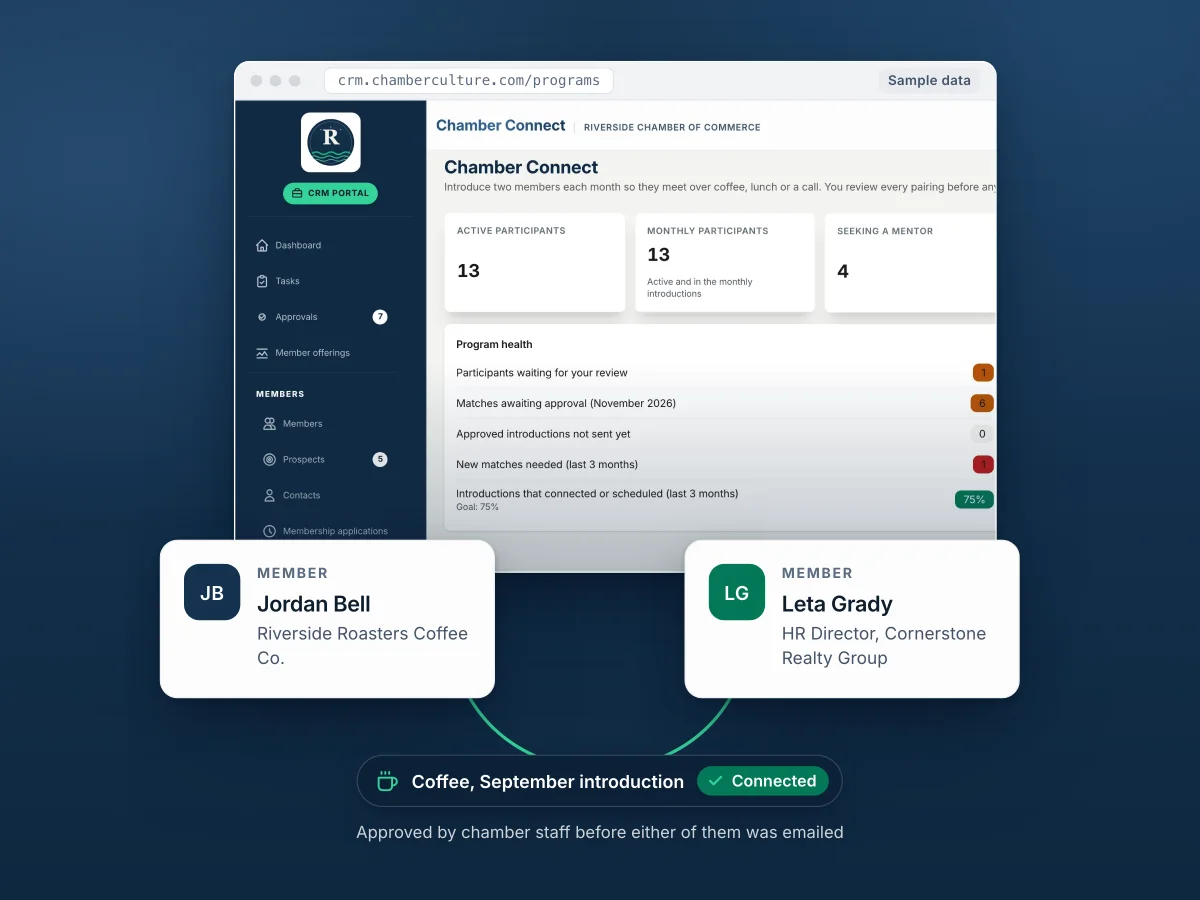
Members opt in. You approve. They meet.
Networking events reach the members who already show up. Chamber Connect reaches the ones who do not, one conversation at a time.
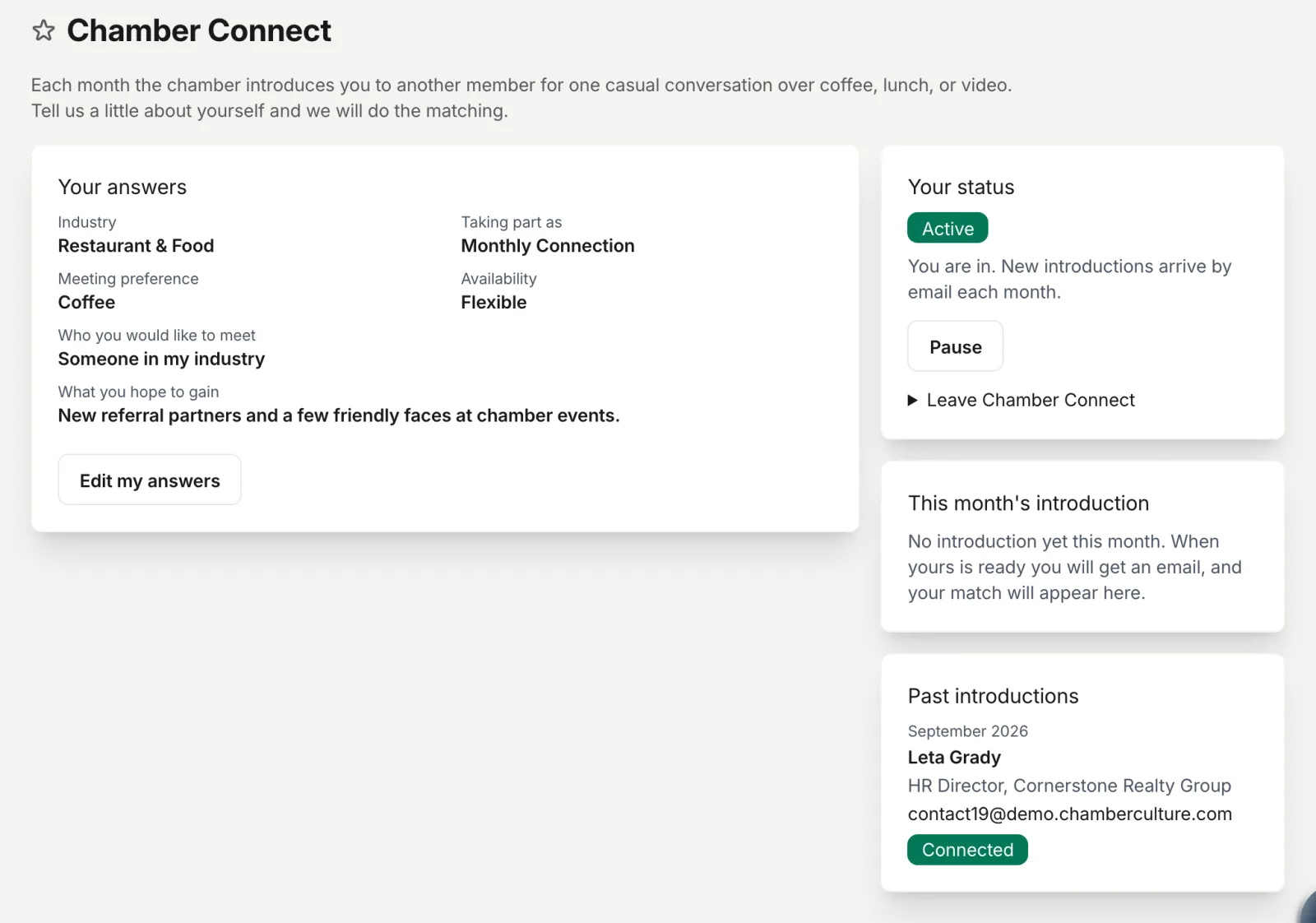
From the member portal they say who they would like to meet, how they like to meet, and what they hope to gain. Two minutes, no form to email back.
Each month Chamber Connect proposes pairs that fit, avoids repeats, and tells you in plain English when a preference could not be met.
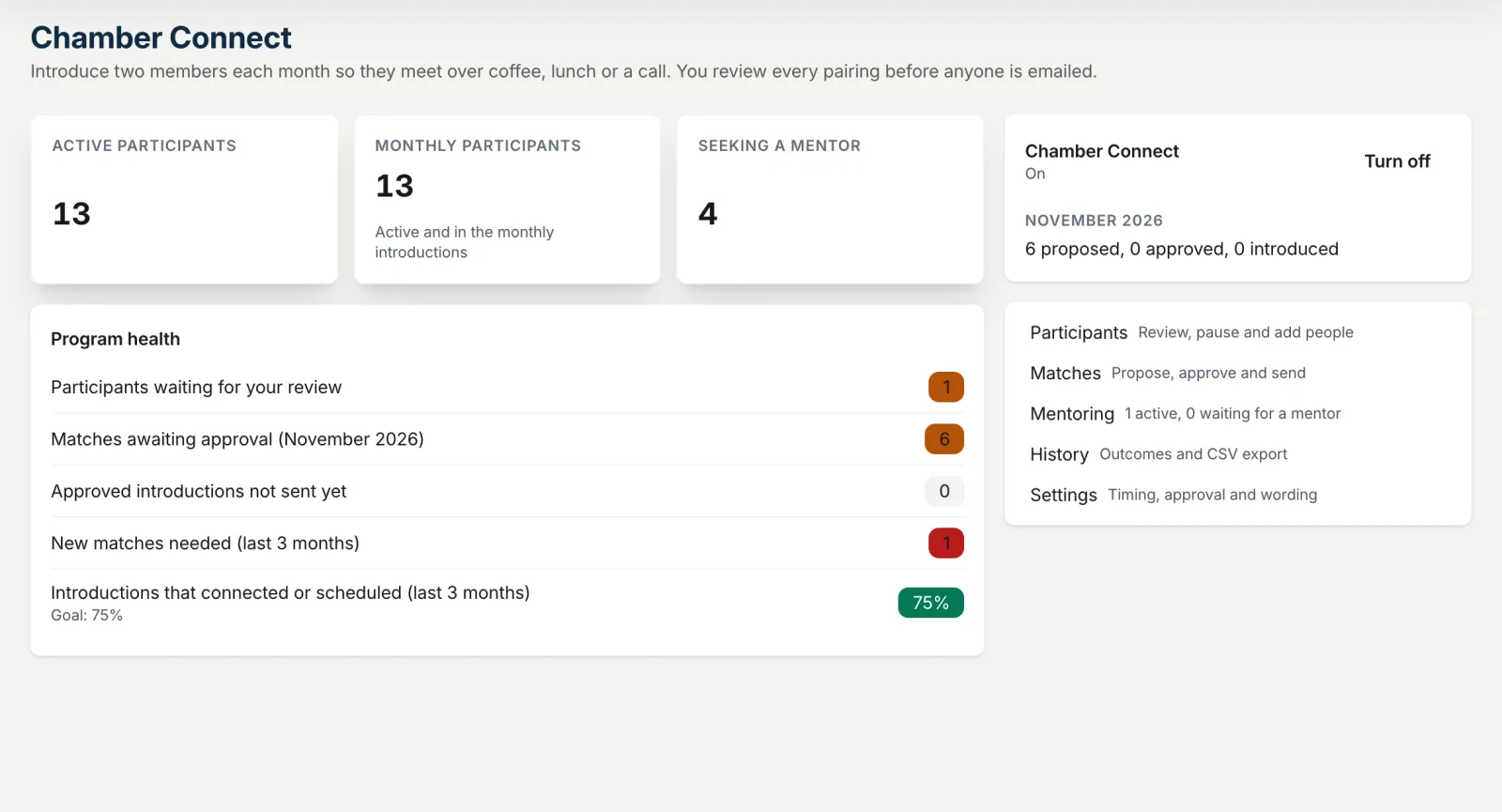
Approve, hold, swap a person or cancel. Nothing is emailed until you say so, because you know your members better than any algorithm.
A warm introduction email goes to both. A check-in later records whether they met, so your board sees outcomes, not hopes.
Not a mockup
This is it, working.
Every screen below is the live product running on our Riverside demo chamber. Open the demo and click through it yourself.
Mentoring, built in
Your experienced members, passing it on.
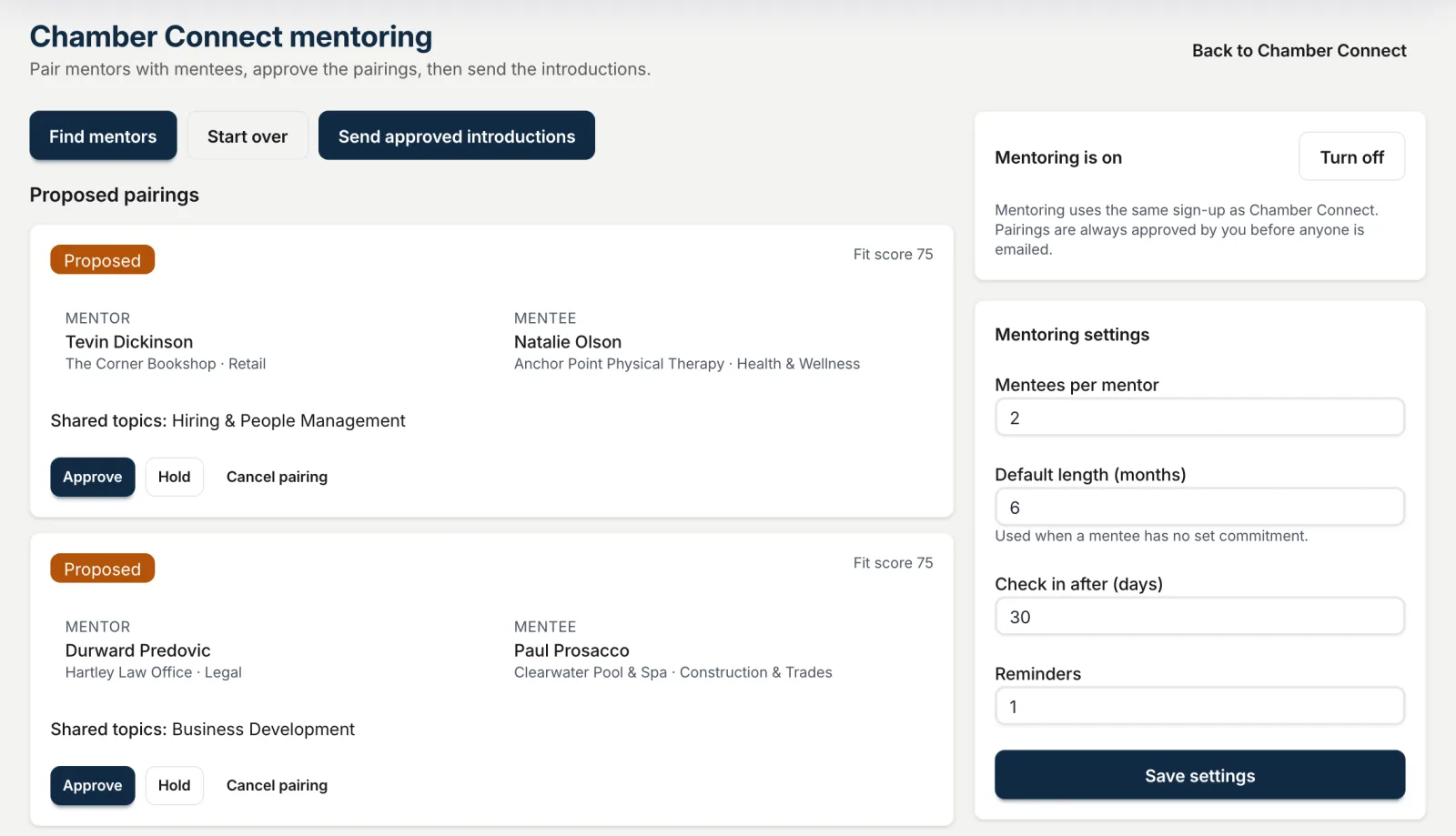
Most chambers have a few owners who would gladly mentor and a few newer members who would love the help. Chamber Connect finds each other for them.
- A fit score from 0 to 100 built from shared topics, industry preference, how often they want to meet and how long they can commit.
- Plain-English warnings when a pairing misses a preference, so you decide with your eyes open.
- Mentor capacity so nobody is asked to take on more mentees than they offered.
- An end date and check-ins, so a six-month mentorship ends well instead of fading out.
Why it matters at renewal
Members renew for relationships. Now you can make them on purpose.
Ask a member why they stayed and the answer is rarely the directory listing. It is the banker they met at a luncheon, the owner who helped them hire. Chamber Connect turns that luck into a program, and every check-in is recorded. "The chamber introduced you to six members this year, and you met four of them" is a renewal conversation that argues for itself.
Introductions share name, business, title and email only. Never a phone number. Members can pause or leave any time.
Questions
The short answers
Does the chamber approve every introduction?
Yes. Nothing is emailed until staff approve it, and you can hold, swap or cancel any pairing.
What gets shared?
Name, business, title and email. Never a phone number.
Is it a lot of work for staff?
A few minutes a month: review the proposed pairs, approve, send. Reminders and check-ins run on their own.
Does it cost extra?
No. Chamber Connect and mentoring are included in every Chamber Culture CRM plan. It is off until you turn it on.
Try it on our demo chamber
Sign in as Riverside Chamber staff to review this month's proposed pairs, or as a member to see the sign-up from their side. No account needed.
Included with Chamber Culture CRM. Off by default. Staff approve every pairing.