Plan the gala once. Run it every year.
Event Playbooks turn the checklist in someone's head, or in a spreadsheet nobody can find, into a reusable plan. Every task has an owner and a due date counted from event day. Apply it to the next event and the whole team sees what is due, what is late and what is theirs.
How it works
Four steps, and next year is already planned.
Your best event coordinator's memory, written down where the whole team can use it.
One list per kind of event. Start from scratch, import the spreadsheet you already use, or save an event's tasks as a playbook.
Pick an event you already have, or create the event in the same step. Every task lands with a real date, counted from event day.
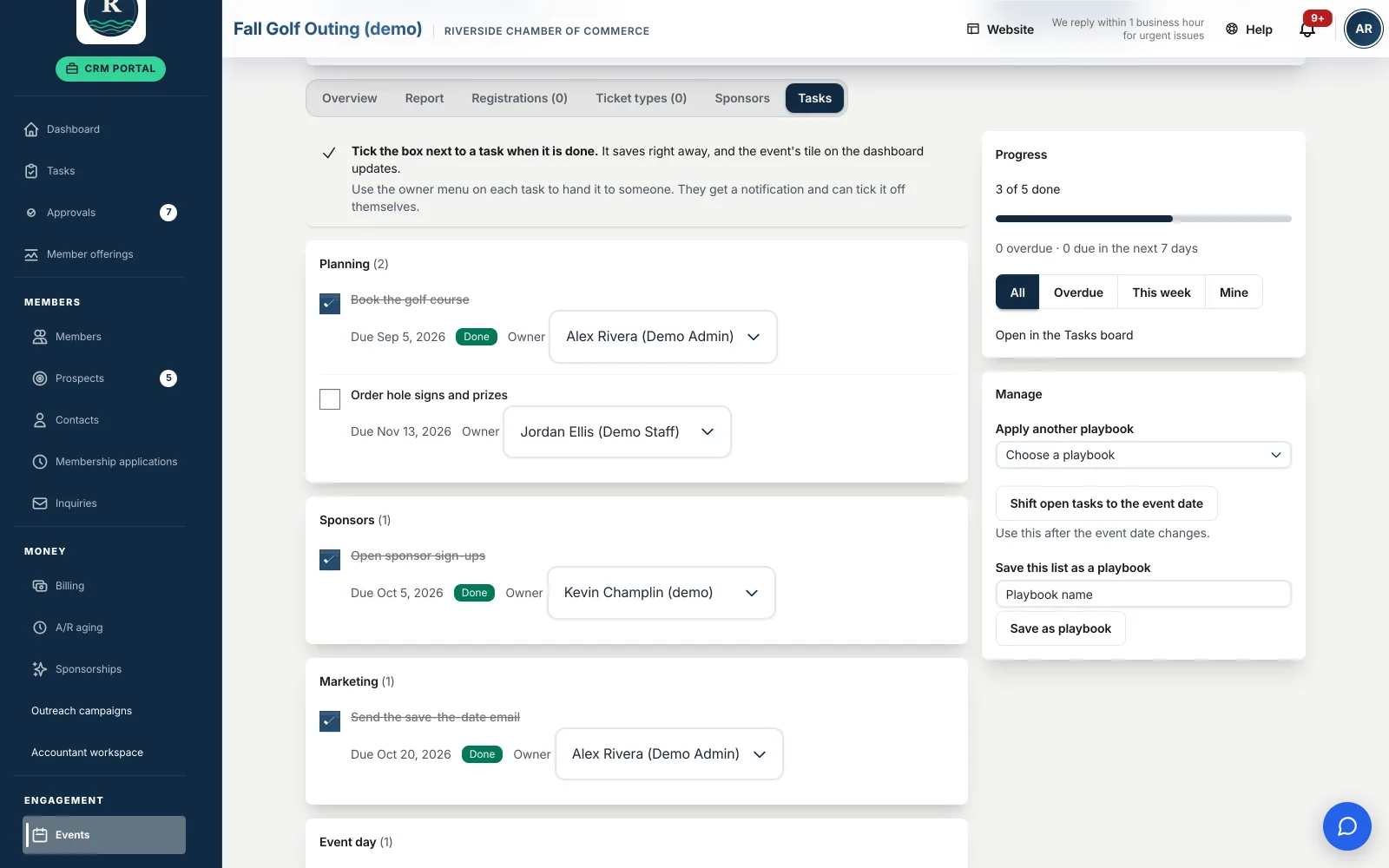
Each owner gets one notice, then a reminder on each due date. The Tasks board filters to Overdue, This week and Mine.
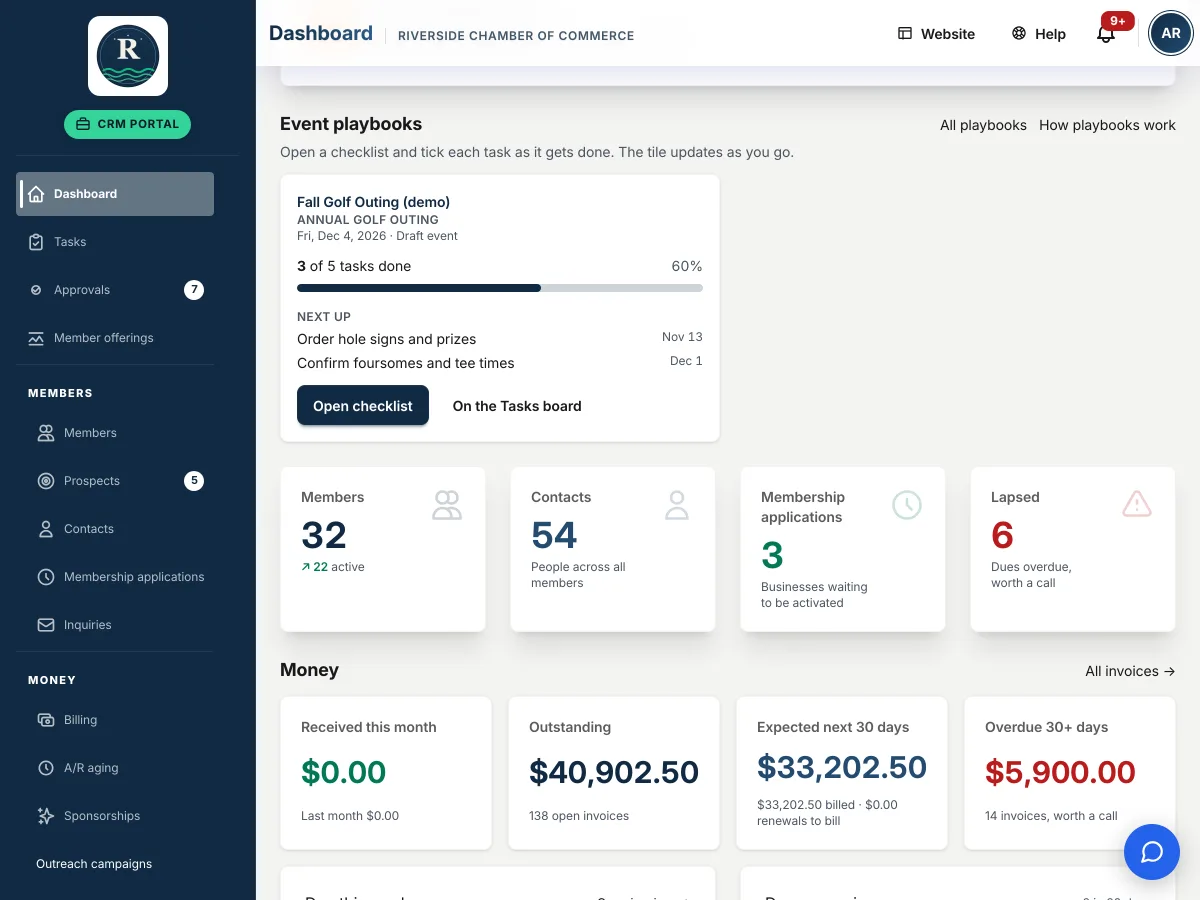
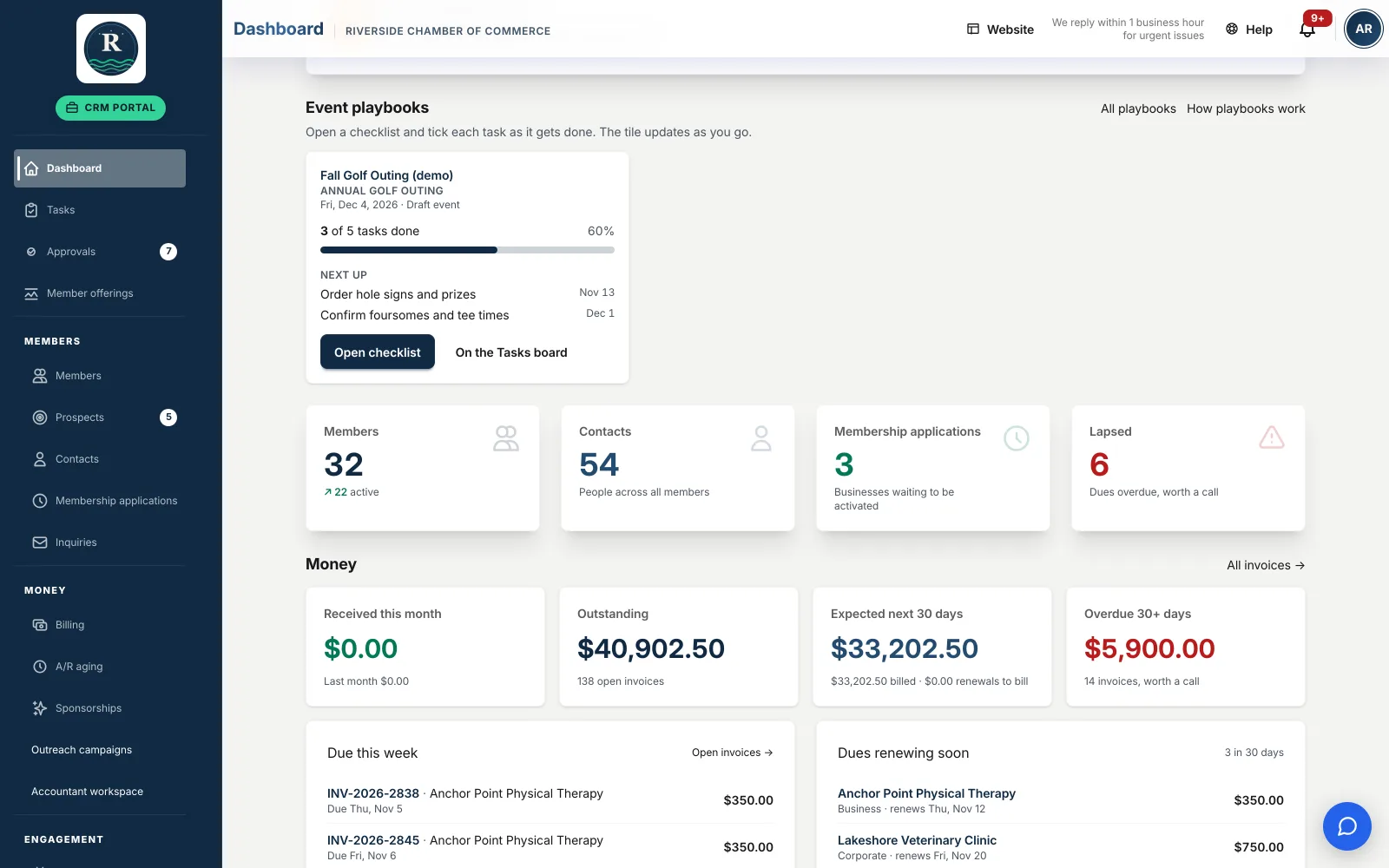
The dashboard shows a tile for each running playbook: progress, what is due next, and what is overdue.
Not a mockup
This is it, working.
Every screen below is the live product running on our Riverside demo chamber. Open the demo and click through it yourself.
Built for how chambers really run events
Small staff, lots of volunteers, no dropped balls.
Most chamber events are run by two or three people and a committee. A playbook makes sure the sponsor asks go out in March, not May, and that the new hire knows exactly what happens six weeks out.
- Phases, owners and support people on every task, plus a "done when" note so nobody has to guess.
- Due dates counted from event day, such as 60 days before or 3 days after, so the plan works for any date.
- The event moved? One button shifts every open due date to match.
- Tick it off where you work. An owner ticks their own task on the Tasks board; a chamber admin can tick any.
- Help when you need it, with a "How playbooks work" panel in the app and a step-by-step help article.
Example: Annual Gala playbook
- 90 days outConfirm the venue and sign the contract
- 60 days outSend sponsor packages to last year's sponsors
- 30 days outOpen ticket sales and announce to members
- 7 days outFinal headcount to the caterer
- 3 days afterThank-you notes to sponsors and volunteers
An illustration of how a playbook reads. Yours holds your own tasks.
Why it matters
When your event person leaves, the event should not leave with them.
Chambers lose years of know-how every time a coordinator moves on. A playbook keeps it. The next person opens the gala playbook, starts it on this year's date, and every step, owner and deadline is already there.
Questions
The short answers
Can we bring in the checklist we already use?
Yes. Import your spreadsheet, or save an event's tasks as a playbook for next time.
What if the event date moves?
One button shifts every open due date to the new date.
Will people get flooded with email?
No. One notice when they get tasks, then a reminder on each due date.
Who can mark a task done?
The person it is assigned to, and any chamber admin.
Try it on our demo chamber
Sign in as Riverside Chamber staff, open the dashboard and click into a running playbook. No account needed.
Included in every Chamber Culture CRM plan.